
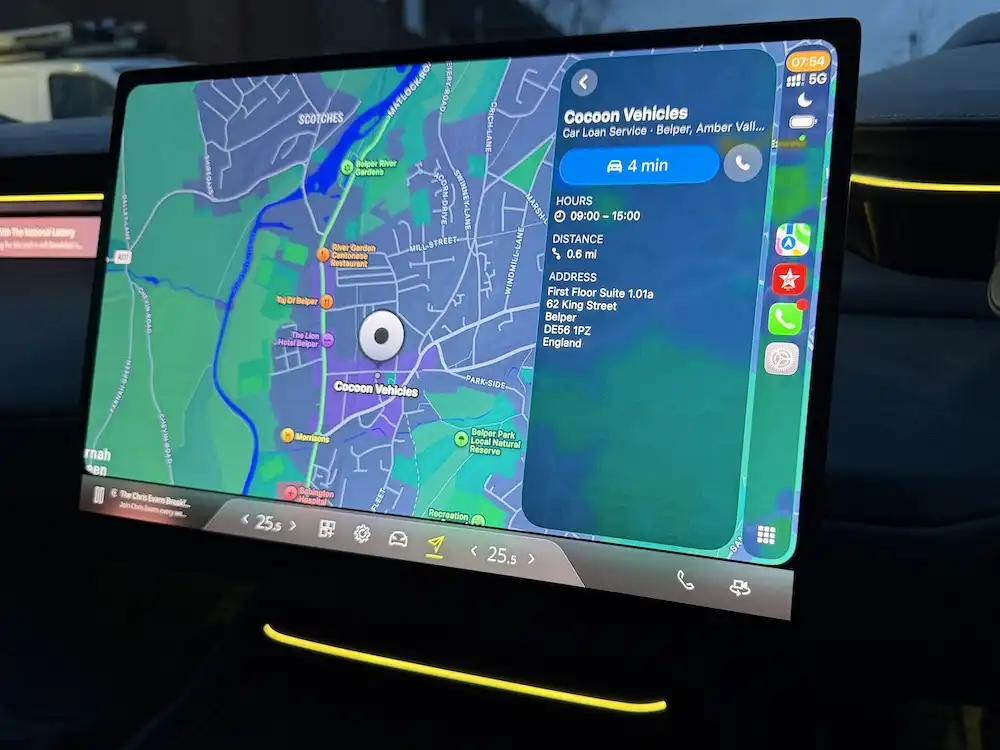
Apple CarPlay Overview
We’re a huge fan of anything Apple in the Cocoon Vehicles office and one of the most requested feature on a car we get asked nowadays is: “Does it have Apple CarPlay?”
Believe it or not, when questioned, this is one of the features most customers cannot live without. The integration of the Apple OS into a car is excellent, meaning manufacturer built-in Satallite Navigation is becoming redundant.
Using Apple CarPlay (or Android Auto) is a smarter and safer way to use your iPhone whilst driving. Whether you’re new to CarPlay or you want to take advantage of the latest features – including widgets, voice control and improved multimedia support. This guide will help you get started and make the most of it in 2026.
What is Apple CarPlay?
Apple CarPlay is a system that mirrors selected iPhone apps and functions onto your car’s infotainment screen. It’s designed to reduce distraction by presenting essential features like navigation, calls, messages and music in a driver-friendly format.
CarPlay works via USB or wirelessly in supported vehicles, and is compatible with iPhones running recent iOS versions.
How to Connect Apple CarPlay
You can connect Apple CarPlay in two ways:
Wired Connection
Plug your iPhone into the car’s USB port using a compatible cable.
Your CarPlay screen should launch automatically.
Wireless Connection
- Ensure your car supports wireless CarPlay or purchase a Wireless Apple CarPlay Adapter
- Enable Bluetooth and Wi-Fi on your iPhone.
Pair your iPhone with the vehicle — CarPlay should start once connected.
Wireless CarPlay is increasingly common in newer vehicles and removes the need for cables.
Navigating the CarPlay Interface
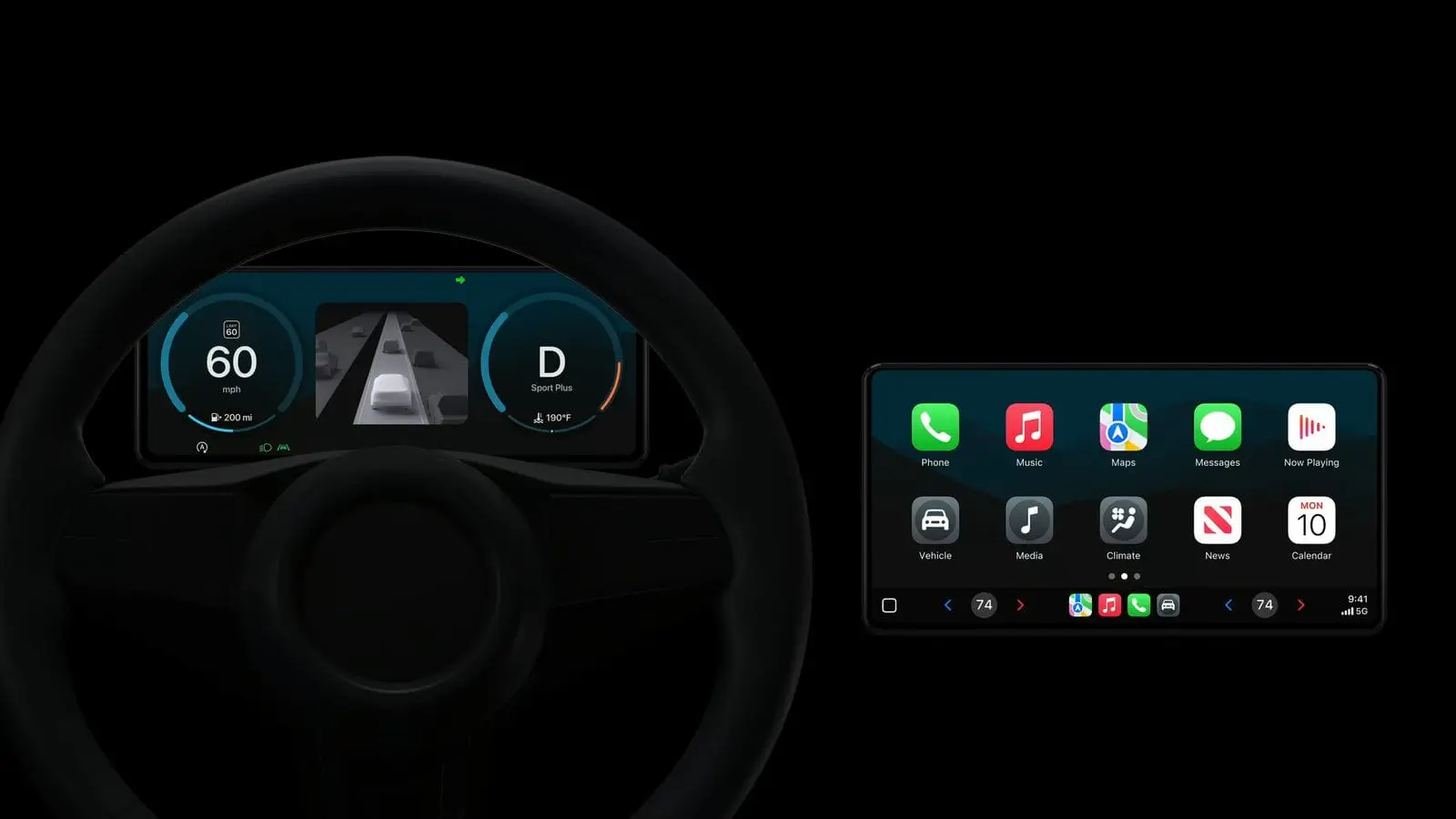
Once connected, the CarPlay home screen displays a tile-based app view similar to your iPhone. You can interact with CarPlay via:
Touchscreen controls
The vehicle’s rotary controller or buttons
Siri voice commands (hold the voice button or say “Hey Siri”)
This combination helps keep your eyes on the road and hands on the wheel.
Apple CarPlay Widgets (New in iOS 26+)
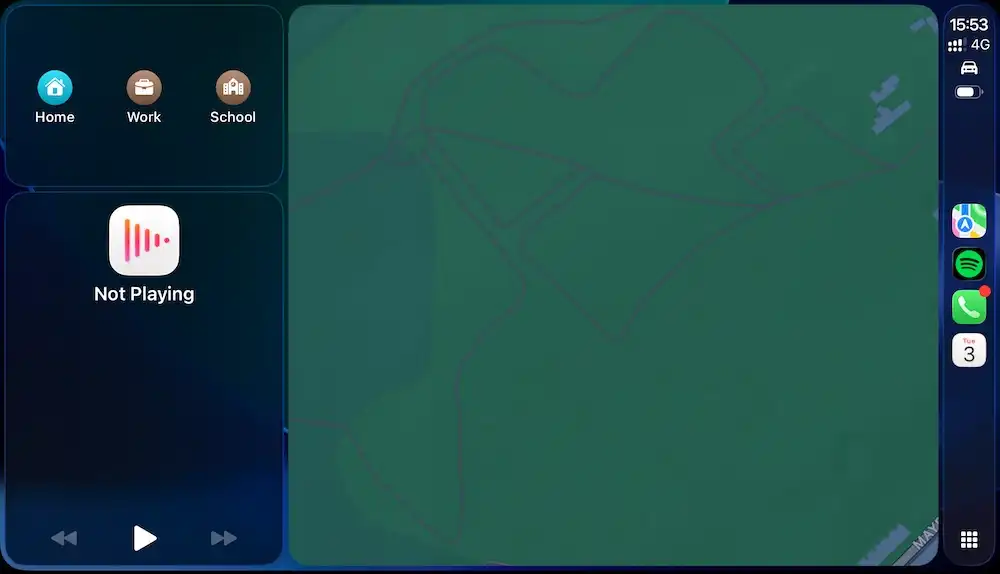
One of the most useful recent additions to CarPlay is widgets — small, glanceable information panels that appear on the CarPlay screen.
Widgets can show:
Photos
Calendar appointments
Weather
Reminders
Live data from compatible third-party apps
How to Set Up CarPlay Widgets
On your iPhone, open Settings.
Go to General → CarPlay.
Choose your connected vehicle.
Tap Widgets.
Add or arrange widgets you want to see on CarPlay.
Widgets appear in swipeable stacks on your CarPlay display, making it easy to see key info without navigating through menus.
If you want visual steps, see our Apple CarPlay Widgets guide with screenshots.
Must-Have Apps for CarPlay
CarPlay supports a wide range of apps designed for in-car use:
Navigation
Apple Maps
Google Maps
Waze
Communication
Messages
WhatsApp
Music & Audio
- Apple Music
- Spotify
- Amazon Music
- BBC Sounds
- Virgin Radio UK
- Podcasts
- Radio and Audio News Apps
Apps appear automatically on CarPlay if installed on the iPhone and supported by CarPlay.
Common CarPlay Questions & Troubleshooting
My CarPlay Isn’t Connecting — What Should I Check?
Use a certified cable if connecting by USB.
Ensure Bluetooth and Wi-Fi are enabled for wireless.
Restart your iPhone or vehicle system.
Why Are Some Apps Not Showing?
Only CarPlay-enabled apps appear. If an app isn’t supported, it won’t show on CarPlay.
Why Is My iPhone Getting Hot with CarPlay?
Using CarPlay — especially with navigation or audio streaming — can increase battery and processor load, leading to warmth. Using a quality cable and avoiding direct sunlight helps reduce heat.
Is Wireless CarPlay Better Than Wired?
Wireless CarPlay removes cables for convenience, but wired can be more stable and charges the phone simultaneously.
Using CarPlay With Your Vehicle
Many vehicles already include Apple CarPlay as standard or optional equipment. Once set up, CarPlay works seamlessly with:
Steering wheel controls
Touchpads and rotary dials
Heads-up displays (where fitted)
Vehicle audio systems
Some manufacturers also extend CarPlay to cover additional features like tyre pressure warnings or trip summaries, making the experience more integrated.
Why Apple CarPlay Matters
CarPlay enhances safety by allowing hands-free control, voice commands and a simplified interface tailored for driving. It also keeps your daily routines — music, podcasts, messages — familiar even when you switch vehicles.
Frequently Asked Questions
Is Apple CarPlay available on subscription or short-term leased cars?
Yes. Vehicles with Apple CarPlay are available on both car subscription and short-term car lease options. Check current availability here:
https://app.cocoonvehicles.co.uk/trends/cars-with-apple-carplay/
Does CarPlay use my mobile data?
CarPlay can use mobile data for apps that stream content or provide live updates (e.g., navigation or music).
Can CarPlay run apps my car manufacturer doesn’t support?
CarPlay only runs apps that are specifically supported by Apple — it won’t mirror every app on your phone.
Will CarPlay work with every phone case or accessory?
Generally yes, but some bulky phone cases or magnetic wallets can interfere with wireless CarPlay connectivity.
Useful Tools for Electric & Connected Drivers
Transitioning to connected driving often goes hand in hand with modern EV use. Tools like Zapmap help electric drivers find public chargers across the UK:
More Information
Apple CarPlay continues to evolve, with features like widgets making it more useful than ever. Whether your priority is navigation, voice control, media or quick information at a glance, CarPlay is a valuable part of the modern driving experience.
Keeping this guide up to date ensures you know how to access and use CarPlay confidently — whether you’re new to it or exploring the latest features in 2026.
If you need any help and advice on the range of services we have to offer, including available cars with Apple CarPlay, please contact the team on 01332 290173 or use the ENQUIRY FORM at the bottom of this article.
Articles on Apple CarPlay


Available Cars With Apple CarPlay
Please use the button below to be taken to an archive of vehicles offered by Cocoon Vehicles on our short-term solutions that have Apple CarPlay included:
Get in Touch
If you would like any further information about the products and services that we offer, please do get in touch with the team on 01332 290173 or by using the ENQUIRY FORM at the bottom of this article.


